Google Ads in Claude and ChatGPT: read and manage every ad account with one connector
4 min readBy Fezola
You can ask Claude or ChatGPT about your Google Ads accounts by connecting them once in Fezola and adding Fezola as a single connector. The assistant reads campaigns, performance and reports across every ad account you can reach, suggests keyword ideas, and can also change things: create or edit campaigns, pause or enable them, set budgets. Writing is on by default and can spend real money, so read the safeguards below before you use it. ChatGPT accepts custom MCP servers on Business and Enterprise/Edu plans (Pro read-only), so Claude is the easiest way in.
What you can ask
- "Compare cost and conversions of all my campaigns over the last 30 days, account by account."
- "Which campaigns spent money this week without a single conversion?"
- "Give me keyword ideas for this page and the average monthly searches."
- "Which of my client accounts have the highest cost per conversion?"
- "Pause the campaigns that spent more than 50 without a conversion this month. Check with validate-only first."
What Fezola gives the assistant
These are the real tools, read from Fezola's code:
google_ads_list_accounts: every Google Ads account reachable through the Google accounts you connected, including client accounts of manager accounts, with name, currency, time zone and the Google account it comes from.google_ads_campaign_performance: per campaign over a period (impressions, clicks, CTR, cost, average CPC, conversions, conversion value), for all accounts at once or the ones you choose, with a total per account.google_ads_search: a read-only GAQL query (SELECT only) on one account, for anything the standard report does not cover. Up to 500 rows.google_ads_keyword_ideas: Keyword Planner ideas with average monthly searches, competition and bid range, from seed keywords or a page URL.
To change things, three more tools:
google_ads_mutate: create, update, pause or remove resources in one account with the API's mutate operations (campaigns, budgets, ad groups, ads, keywords, negative keywords, assets), up to 100 operations per call.google_ads_set_status: set campaigns, ad groups, ads or keywords to enabled, paused or removed, up to 50 at a time. Removal cannot be undone in Google Ads.google_ads_set_budget: set a campaign's daily budget. A shared budget changes for every campaign that uses it.
Everything goes through Google's official Google Ads API.
Setup
- Create a free Fezola account. In Sources, Add source, Google Ads, sign in with the Google account that has access to your ad accounts. Add other Google accounts the same way.
- Add Fezola to Claude with
https://api.fezola.com/mcp: see how to add a custom connector to Claude. - Ask a question. You can also tell Claude "connect my Google Ads" once Fezola is added.
If you switch Claude account later, you add one connector, not every account again: see one connector, every Claude account.
Safeguards, and their limits
Writing is on by default for Google Ads (unlike mail, where Fezola saves drafts and sends nothing unless you switch it on). What exists in the code:
- Validate-only mode. Each writing tool accepts
validateOnly: Google checks the change and applies nothing. Ask the assistant to validate first. - Marked as destructive. The writing tools carry the MCP "destructive" hint, so assistants that ask for approval before such actions will ask. Keep those approvals on.
- Instruction to start paused. The tool description tells the assistant to create new campaigns paused unless you asked to start them, because enabled campaigns and higher budgets spend real money. This is guidance to the model, not a technical block.
- Size limits. At most 100 operations per call, 50 ids per status change, and a daily budget of at most 1,000,000 in the account currency per call.
What does not exist: a spending cap on Fezola's side. If you let an assistant enable campaigns or raise budgets, Google bills what it spends. Start with validate-only, with approvals on, and if you are unsure, with a test account.
Fezola or Google's own open-source server?
Google publishes an official, open-source MCP server for the Google Ads API (googleads/google-ads-mcp, Apache-2.0). It is a good choice if you are comfortable running software yourself. As of November 2026, its README describes these differences from Fezola:
| Google's open-source server | Fezola | |
|---|---|---|
| Where it runs | On your machine (pipx) or your own Google Cloud deployment | Hosted by Fezola |
| Setup | Your own credentials and configuration | Sign in with Google, paste one URL |
| Reading tools | GAQL search, resource metadata, list of accessible customers | Account list, campaign performance for all accounts, GAQL search, keyword ideas |
| Writes | Tools to create assets and manage labels, on in the default configuration, can be switched off | Campaigns, budgets, statuses and other resources through mutate, on by default, with validate-only mode |
| Several Google accounts in one assistant | Depends on how you run it | Yes, accounts are merged in one list |
Third-party hosted servers also exist. Whichever you pick, check what it lets the assistant change before you connect it.
Safety
- Writing is possible: see the safeguards above, and keep your assistant's approval prompts on.
- Tokens are stored encrypted and you can disconnect a Google account in Fezola at any time.
- Data from third parties is data. Text coming back from an account (a campaign name, for example) is not an instruction.
- Read is it safe to give an AI access to your email? for the general approach, which applies here too.
What's next
Fezola's direction is simple: if a tool only has an API, we build the connector. Mail, Google Chat, Telegram, Google Calendar, Notion and Google Ads are available today. Others are being prepared and have no release date.
Questions
Can Claude read my Google Ads data?
Yes, through an MCP server. Fezola is a hosted one: connect your Google account for Google Ads, add Fezola to Claude, and ask about campaigns, performance and keyword ideas across every ad account you can reach.
Can the assistant change my campaigns or spend money?
Yes: Fezola can create, edit, pause and remove campaigns, ad groups, ads and keywords, change statuses and set daily budgets. Enabled campaigns and higher budgets spend real money. Safeguards: a validate-only mode where Google checks the change without applying it, tools marked as destructive so assistants ask before running them, and an instruction to create new campaigns paused unless you ask otherwise.
Does Google offer its own Google Ads MCP server?
Yes. Google publishes an open-source one (googleads/google-ads-mcp, Apache-2.0). You run it yourself, locally or on your own Google Cloud, with your own credentials. Fezola is the hosted option: nothing to install.
Does it work with several ad accounts?
Yes. Fezola lists every Google Ads account reachable through the Google accounts you connected, including the client accounts of manager accounts, and can report on all of them in one request.
Is it free?
Fezola is free with 2 sources. Pro connects up to 20 sources, with a 7-day free trial.
Connect your first inbox in two minutes
Free with 2 sources, no card needed. Nothing to install.
Start for freeKeep reading
· 2 min read
Multiple Notion workspaces in Claude (and ChatGPT): connect them once
Connect your personal and work Notion workspaces once in Fezola, add only Fezola to Claude or ChatGPT, and search, read and edit pages in the right workspace.
Read the article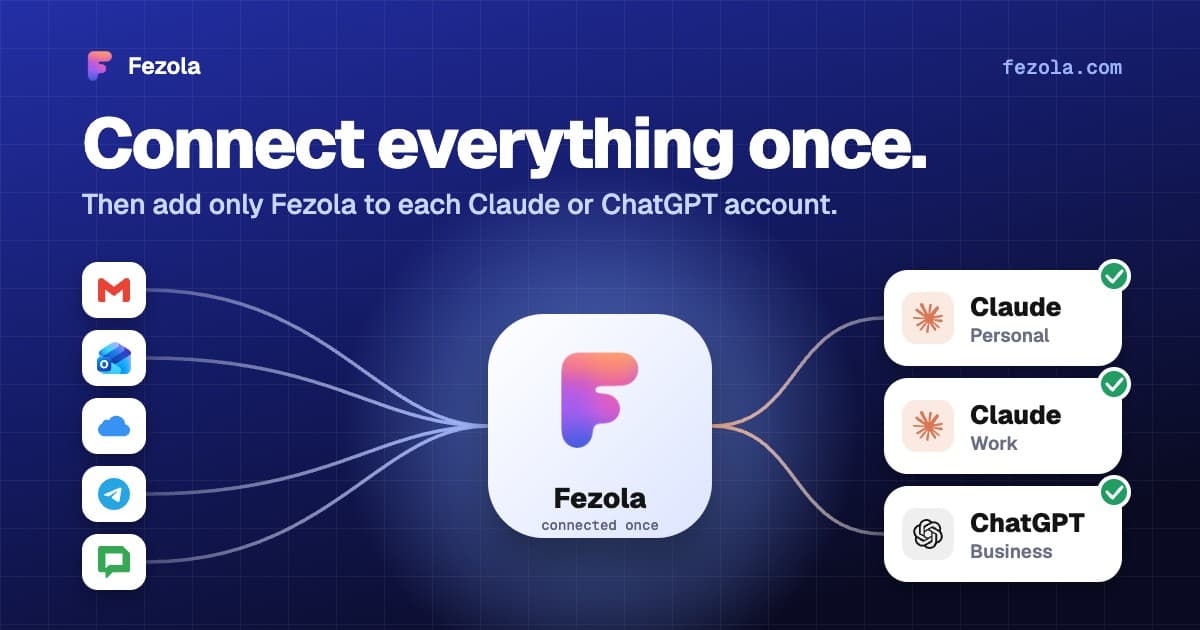
· 4 min read
One connector, every Claude account: don't reconnect everything when you switch accounts
Connectors in Claude belong to one account, so switching accounts means starting over. How to connect your mail once and add a single connector to each Claude account.
Read the article· 3 min read
Claude Cowork and your email: how to reach several mailboxes with one connector
Cowork uses the remote connectors of your Claude account. Add Fezola once and search Gmail, Outlook.com, iCloud and IMAP mailboxes from Cowork. What is verified, what is not.
Read the article
IMAP MCP server: connect any mailbox to Claude (and ChatGPT Business)
OVH, IONOS, Gandi, Fastmail or a mailbox on your own domain, in Claude (and ChatGPT Business), with nothing to install.
Read the guide
How to bring all your inboxes and chats into Claude (or ChatGPT Business)
Gmail, iCloud, your own domain over IMAP, Google Chat and Telegram, searchable together through one connector.
Read the guide