Gmail MCP server for Claude (and ChatGPT Business): official, open source or hosted
6 min readBy Fezola
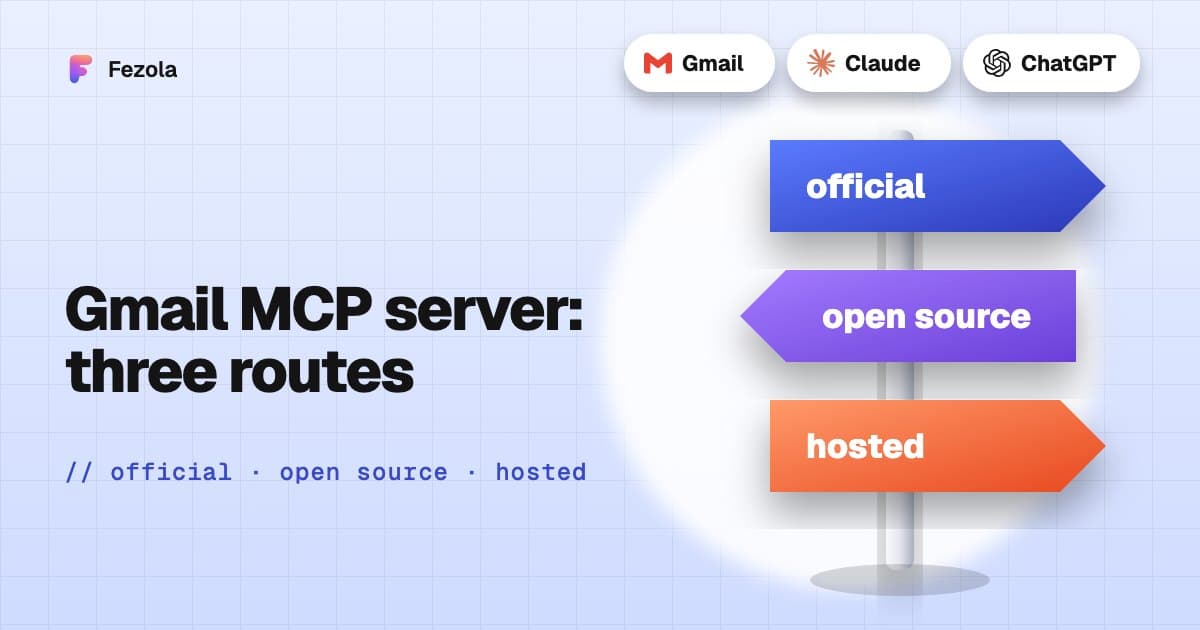
Short answer: there are several ways to connect Gmail to Claude. Claude's built-in Gmail connector is the easiest start for one Google account: it can search, read, draft and send with your approval. Google's own Gmail MCP server can search and draft but not send, and you create the Google Cloud OAuth client yourself. A hosted connector such as Fezola handles the Google sign-in for you, puts several mailboxes behind one URL, saves drafts by default and reads attachments. Facts below come from Google, Anthropic and OpenAI documentation checked on 9 November 2026: they change fast, so check the links.
Route 1: the built-in connectors
Claude. According to Anthropic's help article on Google Workspace connectors, the Gmail connector is available for all users on Claude and Claude Desktop. You connect it in Customize, Connectors, sign in to Google, and turn it on per conversation. It can search and read email, draft, list drafts, and send, reply to and forward: by default Claude asks for your approval before each send, reply or forward, and on Team and Enterprise plans owners decide whether members can let these run without asking. Attachment content is not accessible (metadata only). The article describes the Google account you connected; Anthropic has been rolling out support for several accounts, so check the live page. (An older Anthropic documentation page described a read-only connector on paid plans, so check which page is current.)
ChatGPT. ChatGPT has a Gmail plugin you connect from Settings, Plugins. OpenAI's help page on connected accounts says some apps support more than one connected account, with a Connect another account option where available, and that actions depend on the app, your account and workspace controls. OpenAI lists the Gmail plugin as write-capable: check what your plan allows.
This is the right choice if you have one Google account and want the shortest setup. It does not cover iCloud, your own domain or Google Chat, and it cannot read attachment content.
Route 2: Google's own Gmail MCP server
Google offers an official remote server in Developer Preview, documented on Google for Developers:
- Endpoint:
https://gmailmcp.googleapis.com/mcp/v1(Streamable HTTP). - Tools:
search_threads,get_thread,create_draft,list_drafts,list_labels, and label and unlabel tools for messages and threads. - Scopes:
gmail.readonlyandgmail.compose. - No send tool.
create_draftputs the email in your Drafts folder, and you review and send it from Gmail. - Setup is yours: a Google Cloud project, the Gmail API and Gmail MCP API enabled, an OAuth consent screen, and an OAuth client of type Web application with the option Use this client for an AI-powered agent selected. You add the redirect URI of your assistant.
- Assistants: Google lists Claude.ai and Claude Desktop (Enterprise, Pro, Max or Team plans) as a custom connector, Google Antigravity, and any app that supports remote MCP servers with OAuth.
- Multiple accounts: not stated.
It is a strong option if you are comfortable in Google Cloud and want Gmail drafts straight from Google. Expect an hour of setup, and a Preview label.
Route 3: open-source servers you run yourself
Many community servers exist. They run on your computer and use OAuth credentials you create in your own Google Cloud project. One of the best known, GongRzhe/Gmail-MCP-Server, offers a send_email tool and a draft tool, runs locally, and is MIT licensed. Its repository was archived by its owner on 3 March 2026 and is read-only, so check the maintenance status of whichever server you pick, and its send tool before you give an assistant access.
Route 4: a hosted connector
Fezola is a hosted MCP connector. For Gmail it asks Google for access through Continue with Google, so you do not create a Google Cloud project, and it uses Gmail over IMAP with OAuth. What it does, verified in its code:
- One search across mailboxes.
search_messagesqueries one mailbox or all at once, and every result names its account. - Drafts by default.
reply_draftandcreate_draftsave drafts in the mailbox that received the message. Direct sending is off by default: thesend_messagetool is only offered if you switch it on for a mailbox, flags addresses the mailbox has never written to, and each send is listed in your Fezola sent log. - Same URL for others. The same connector holds iCloud, any IMAP mailbox, Google Chat and Telegram (read-only).
Honest limits:
- Full Gmail scope. To use IMAP with OAuth, Google requires the restricted
https://mail.google.com/scope, so Fezola asks for full access to the mailbox. It only acts on request, and you can revoke it at any time. - A cap while Google verifies Fezola. An app that Google has not verified can be authorized by only 100 Google accounts, for life. Fezola stops at 95 and closes its Google buttons rather than send you into a Google refusal; past the cap, Gmail connects with a Gmail app password instead. The app tells you whether beta spots are open, and we promise nothing about when Google's verification will finish.
- A warning screen. While the app is unverified, Google shows a warning screen at sign-in.
Comparison
| Claude built-in | Google's server | Open source | Fezola | |
|---|---|---|---|---|
| Setup | One click | Your own Google Cloud client | Your own Google Cloud client and install | Continue with Google, or an app password |
| Can create drafts | Yes | Yes | Varies | Yes |
| Can send | Yes, with your approval | No send tool | Some can | Opt-in, per mailbox |
| Several accounts | Check Anthropic's page | Not stated | Varies | Yes, plus iCloud and IMAP |
| Reads attachments | Metadata only | Not stated | Varies | PDF, Word, text, images |
| Where it runs | Anthropic's cloud | Google's endpoint | Your computer | Fezola's cloud |
| Status | Generally available | Developer Preview | Check maintenance | Google beta cap, see above |
Connect Gmail with Fezola, step by step
- Create a free Fezola account. The free plan includes 2 sources.
- In Sources, add a mailbox, choose Gmail and select Continue with Google. If beta spots are full, create a Gmail app password and use it instead.
- Add Fezola to Claude: Customize, Connectors, + Add, Add custom connector, paste
https://api.fezola.com/mcp, then approve the access. See how to add a custom connector to Claude for every menu. - Ask: "What needs an answer in my Gmail today?" Claude calls
search_messagesorlist_recentand each result names its account.
In ChatGPT, custom MCP servers are available on Business and Enterprise/Edu plans (Pro read-only): see how to add an MCP server to ChatGPT.
Security: scope and revocation
Whichever route you choose, check three things. The scope: read-only, compose, or full access. The send tool: can the assistant send without you? And revocation: you can remove any app's access in your Google Account permissions, and in Fezola you can see connected assistants and revoke them (list_connected_assistants, revoke_assistant). More in is it safe to connect your email to an AI?.
For several Gmail accounts together, see Gmail, iCloud and IMAP inboxes together, and for a broader comparison, best email MCP servers. New to MCP? What is an email MCP server.
Questions
What is the best Gmail MCP server for Claude?
For one Google account, Claude's built-in Gmail connector is the easiest start: it can search, read, draft and send with your approval. Google's own Gmail MCP server (Developer Preview) searches and drafts, but needs a Google Cloud OAuth client. For several mailboxes or providers, drafts by default and readable attachments, a hosted connector such as Fezola is the shortest path.
Can Claude's built-in Gmail connector write or send emails?
Yes. According to Anthropic's help center (checked 9 November 2026), it can draft, send, reply to and forward emails, and by default asks for your approval before each send, reply or forward. It cannot read attachment content, only attachment metadata. An older Anthropic documentation page still describes it as read-only, so check the current help article.
Does Google have an official Gmail MCP server?
Yes, in Developer Preview. Its tools are search_threads, get_thread, create_draft, list_drafts and label tools, with the gmail.readonly and gmail.compose scopes. It has no send tool, and you set up your own Google Cloud project and OAuth client.
Can an AI send email through these servers?
Claude's built-in connector can, after your approval by default. Google's official server has no send tool. Some open-source servers can send. Fezola saves drafts by default and sends only if you switch it on, per mailbox.
Is there a limit on Google accounts with Fezola?
While Google verifies Fezola's app, Google caps unverified apps at 100 Google accounts for life, and Fezola stops at 95. Past that, Gmail connects with a Gmail app password over IMAP instead. The app shows whether beta spots are open.
Does this work in ChatGPT?
ChatGPT has its own Gmail plugin in Settings, Plugins. Custom MCP servers, such as Fezola or Google's own, are available on ChatGPT Business and Enterprise/Edu (Pro with read and fetch permissions only).
Connect your first inbox in two minutes
Free with 2 sources, no card needed. Nothing to install.
Start for freeKeep reading
· 3 min read
Outlook.com and Hotmail now work in Claude (and ChatGPT on Business plans) with Fezola
Connect an Outlook.com, Hotmail or Live mailbox to Claude (and ChatGPT on Business plans) in one click with Sign in with Microsoft: no password, no IMAP setting, drafts only by default.
Read the article
· 3 min read
Multiple Gmail accounts in Claude and ChatGPT: the built-in way, and when to add a connector
Connect two Gmail accounts, personal and work, to Claude or ChatGPT: what the built-in connectors do in November 2026, their limits, and when an MCP connector helps.
Read the article
· 4 min read
What is MCP? A plain-English guide for people who don't code
MCP, the Model Context Protocol, explained without code: what it is, the USB-C analogy, what an AI assistant can do with it, local versus hosted, and what to check first.
Read the article
IMAP MCP server: connect any mailbox to Claude (and ChatGPT Business)
OVH, IONOS, Gandi, Fastmail or a mailbox on your own domain, in Claude (and ChatGPT Business), with nothing to install.
Read the guide
How to bring all your inboxes and chats into Claude (or ChatGPT Business)
Gmail, iCloud, your own domain over IMAP, Google Chat and Telegram, searchable together through one connector.
Read the guide